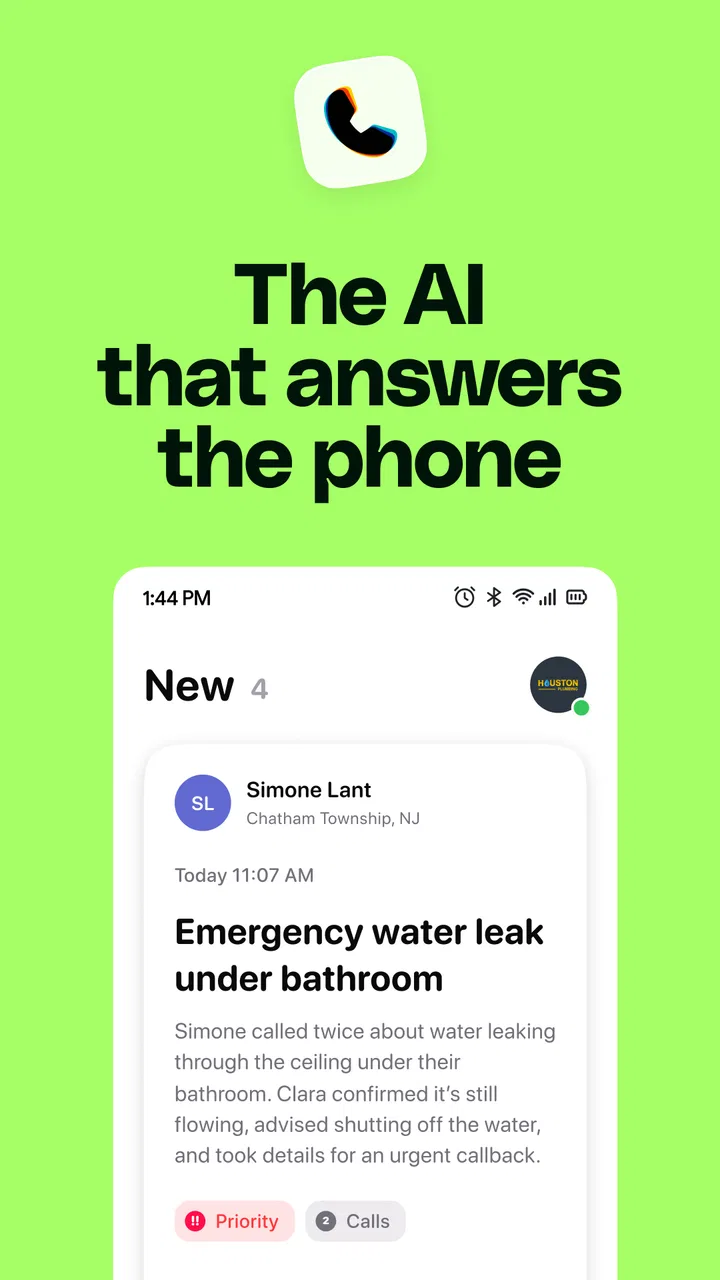
Clara - AI Receptionist
- 4.5
- Rating
- 50.00K
- Installs
- Free
- Price

 Analysis by App-foxy
Clara - AI Receptionist is a business app built around a simple promise: I can let an AI receptionist deal with incoming calls while I stay focused on work that needs my attention. After spending time with it, my view is that its value depends less on novelty and more on whether missed calls are costing you real opportunities. For a small business owner who is frequently driving, serving customers, working with tools, or away from a desk, that difference can be meaningful.
What makes Clara interesting is its narrow focus. It is not trying to become a complete customer relationship system, office suite, or general productivity platform. The developer, 44pixels, has shaped it as a business-call assistant. That makes the experience easier to understand, but it also means the app is most useful when your main problem is handling calls consistently rather than managing every part of customer communication in one place.
How Clara fits into a real working day
The clearest way to understand the app is to imagine a normal day for a tradesperson, consultant, clinic owner, property manager, or small service company. A call arrives while the owner is with a customer. Instead of immediately stopping the job, the business can have Clara handle the first interaction. That gives the owner a chance to remain present while still treating the caller as important.
You May Also Like

 Blood Strike: 2.5 Anniversary
Blood Strike’s Loadouts Turn Every Drop Into a Tactical Gamble
A close look at Blood Strike’s custom loadouts: how fast access to signature weapons reshapes its battle royale rhythm, rewards preparation, and narrows the gap between fights.

 Pandora - Music & Podcasts
Pandora’s Music Is Easy to Start, but Harder to Recover
Pandora’s strength is its low-effort path from a seed to a station. Its weak spot is how much confidence it asks you to place in connection, setup, and quiet recovery.

 8 Ball Pool
 Is Built on Rivalries, Rematches, and Routine
A close look at the rivalries, rematches, shared routines, and unanswered safety questions that turn a quick pool match into a persistent mobile community.

 Samsung Music
’s Quiet Strength Is Playing What You Already Own
Its reach comes less from spectacle than from dependable access to a personal library. That simplicity is both the app’s strongest retention engine and its ceiling.

 AccuWeather: Weather Radar
AccuWeather Review: A Quick, Clear Forecast for Everyday Decisions
For everyday plans, the best forecast is the one you can understand quickly. AccuWeather makes rain timing, radar, and local conditions easy to act on, with a few trade-offs.

 Hill Climb Racing
Why Hill Climb Racing Still Turns Crashes Into One More Run
A tiny car, a bumpy hill and one more upgrade: Hill Climb Racing keeps resurfacing because its simple chaos makes every near-miss feel personal.
More From Our News Desk
View All News


I find that workflow more convincing than the usual idea of simply silencing a phone. Ignoring a call may protect your concentration, but it can also leave a potential customer wondering whether anyone is available. An AI receptionist offers a middle path: the business remains reachable without requiring the owner to become a full-time phone operator.
That distinction matters especially for one-person businesses. A larger company may already have staff to answer calls, route questions, and take messages. A solo operator usually has to choose between answering immediately and completing the task in front of them. Clara is aimed at reducing that interruption, not replacing the judgment of the business owner.
The app belongs in the business category, and its positioning is refreshingly direct. I did not approach it as a general-purpose assistant that happens to make calls. I approached it as a front door for a small company. That perspective helps explain both its strongest use case and its limits: it can make first contact more manageable, but it should not be treated as a substitute for every human conversation.
The strongest benefit is continuity
The most useful quality here is continuity. Customers do not always call during convenient moments. They call while you are unloading equipment, speaking with another client, checking stock, preparing a quote, or trying to finish a deadline. Clara gives those callers a more deliberate point of contact than a missed-call notification alone.
In my experience, this is where an AI receptionist can have a practical advantage over voicemail. Voicemail asks the caller to do more work and often turns a simple question into another task for the business owner. Clara is designed to take care of the initial exchange, which can reduce the number of interruptions that reach you before they are necessary.
There is also a useful psychological benefit. When every unknown call feels urgent, it becomes difficult to concentrate. A receptionist layer can create a buffer between the outside world and the work already in progress. I would not describe that as complete automation; I would describe it as controlled access to your attention.
A realistic example would be a mobile repair professional working inside a customer’s home. Answering a call may be rude or impractical, but ignoring it may mean losing a new booking. Clara can serve as the first contact while the professional finishes the appointment. Later, the owner can deal with the calls that actually need personal attention instead of interrupting every job just to discover what the caller wants.
Where it compares well with ordinary alternatives
The usual alternatives are voicemail, call forwarding to another person, a shared business phone, or a full customer-service platform. Clara sits between those choices. It is more active than voicemail, less dependent on another employee than forwarding, and likely simpler to approach than a large business communications system.
That middle position is important for small teams. A full platform may offer more tools, but it can also bring setup work and features that a sole proprietor never uses. On the other hand, a basic voicemail box is cheap and familiar, but it provides little help during the first interaction. Clara makes the most sense when you want something more responsive than voicemail without committing to a staffed reception desk.
I would not choose it simply because it is an AI product. I would choose it because the business has a recurring call-handling problem. If your phone rarely rings, or if nearly every caller must speak directly with you, the benefit becomes much smaller. The app earns its place when the cost of interruption or missed contact is higher than the effort of introducing an automated receptionist into the workflow.
Small-business workflows that make better use of it
One non-obvious advantage is that it encourages better separation between urgent and non-urgent communication. Before using a receptionist-style tool, many owners treat every call as equally important. A better approach is to let the initial conversation establish the reason for the call, then decide which matters need immediate attention and which can wait for a planned response.
That can improve the shape of a workday. Instead of repeatedly switching tasks, I would set aside a short period to review the calls that require a personal response. The app is therefore most effective when paired with a routine. Without that routine, even a good call-handling layer can become another inbox that is checked randomly and anxiously.
A second useful insight is that Clara should be treated as part of your customer-intake process, not as an isolated download. Before relying on it, I would write down the questions a caller normally asks: service area, availability, appointment type, general pricing guidance, or the best way to reach the owner. The clearer those expectations are, the easier it is to judge whether the app is helping or merely adding another step.
A third trade-off concerns the type of caller. Someone making a straightforward inquiry may appreciate quick assistance, while a customer with a sensitive complaint or a complicated technical issue may prefer a real person. That means the best workflow is selective. Use Clara to absorb routine demand and protect your attention, but maintain a clear path for conversations where empathy, discretion, or professional judgment matters more than speed.
The meaningful weakness: automation still needs supervision
My main reservation is not that Clara uses AI; it is that phone conversations can become messy very quickly. People interrupt, change their minds, use local expressions, give incomplete information, or explain a problem in an order that makes sense only to them. An automated receptionist may handle a predictable opening well, but the business owner still needs to review how the process works in real situations.
That is why I would not install the app and immediately assume every call can be left unattended. I would begin with low-risk inquiries and pay attention to the kinds of questions that create confusion. If callers regularly need detailed advice, negotiation, reassurance, or a firm decision, a human receptionist or direct answering service may be a better fit.
There is also a trust issue. Some customers will be comfortable speaking with an AI receptionist, while others may feel that a business is making them work too hard to reach a person. The app can support a professional customer experience, but it cannot automatically create one. The tone, expectations, and handoff process still belong to the business using it.
Cost is another point to consider. Clara is free to install, but in-app purchases range from $19.99 to $99.99 per item. That makes it easy to try, yet the real question is whether the paid use delivers enough value for your call volume and customer value. A low-volume business may find voicemail sufficient, while a busy service provider could reasonably view the expense as an operating cost rather than a luxury.
I also think the app requires a little discipline from the owner. If you do not review messages, return important calls, or keep your business information current, automation can create the appearance of responsiveness without completing the customer journey. That is not a flaw unique to Clara, but it is a practical limitation that is easy to overlook when the initial promise sounds effortless.
Who should use it, and who should skip it?
I would recommend Clara first to independent professionals and small companies that lose calls because they are busy doing the work customers hired them to do. Contractors, mobile technicians, appointment-based operators, consultants, and owners who spend much of the day away from a desk are the most natural audience.
It may also suit a growing business that has not yet reached the point where hiring a receptionist makes financial or organizational sense. In that situation, the app can act as a bridge between personal voicemail and a larger communications operation. The important condition is that the business has enough incoming demand for better call handling to matter.
I would be more cautious for medical, legal, financial, or emotionally sensitive services. Those fields often involve information and decisions that deserve careful human handling. Clara may still have a role in basic intake, but I would not make it the only contact option for callers whose needs require professional judgment or confidentiality.
It is also not the right choice for a business whose identity depends on a personal conversation from the first second. A boutique advisor, relationship-driven salesperson, or specialist who must understand a nuanced situation immediately may gain more from direct answering than from automation. In those cases, the interruption is part of the service rather than a problem to remove.
The app is rated for Everyone, which makes its basic accessibility broad, and it requires Android 7.0 or later. Its current version is 1.10.12, so Android users with older supported devices should still check that their phone fits the requirement before planning a business workflow around it. I would also test it during a quiet period rather than switching over during the busiest week of the year.
What the adoption numbers suggest without telling the whole story
Clara has an average rating of 4.6 from around 1.5 thousand ratings, with over 10 thousand installs. Those figures suggest that the concept is connecting with a meaningful group of users, but they should not replace your own testing. Call handling is unusually dependent on business type, customer expectations, and the owner’s follow-up habits.
The app has also accumulated 122 written reviews, which is useful for spotting recurring experiences before committing to a paid workflow. I would read those comments with a specific question in mind: are people using it for the same kind of calls that your business receives? A strong overall impression is encouraging, but a tool that works well for appointment inquiries may not suit a company handling complex support requests.
Because Clara is made by 44pixels rather than a large office-software ecosystem, I would judge it on focus and fit rather than on the size of its surrounding product family. A focused tool can be easier to understand, but users who need deep integration with a broad business system may prefer an established communications suite that already sits alongside their other tools.
How I would set it up for a fair trial
I would start by defining the calls Clara should handle and the calls that should reach me quickly. That simple distinction prevents the app from becoming an uncontrolled filter. Routine booking questions, general inquiries, and requests that can wait are natural candidates. Complaints, urgent service problems, and conversations involving sensitive details deserve a more direct route.
Next, I would create a short internal checklist for reviewing outcomes. Did the caller’s reason come through clearly? Was a callback needed? Did the interaction save time, or did it create extra clarification work? These questions are more useful than judging the app after one pleasant conversation.
I would also tell existing customers how to reach a person when necessary. An automated receptionist works better when callers understand what it can do and when a human will respond. That small bit of expectation-setting can prevent frustration and makes the business appear organized rather than evasive.
Finally, I would compare Clara with the alternative I am actually considering, not with an imaginary perfect system. If the realistic choices are missed calls, a basic voicemail box, or paying someone to answer every call, the app may offer a sensible compromise. If the realistic choice is a mature customer-service platform with an established team, the broader system may be worth the extra complexity.
My verdict for business owners
Clara works best when viewed as an attention-management tool for businesses that cannot answer every call themselves. Its strongest contribution is not flashy automation; it is the possibility of keeping the business reachable while the owner remains present with the work already underway. That is a practical problem, and the app addresses it with a clear purpose.
My recommendation is positive for small operators with regular incoming calls, especially when missed contact leads to lost bookings or repeated interruptions. I would try the free installation, test it with routine requests, and measure whether it reduces real friction before paying for broader use. The in-app purchase range means the decision should be based on business value, not curiosity about AI.
I would skip it if your calls are rare, highly sensitive, or almost always require immediate personal judgment. In those situations, voicemail, direct answering, or a human service may provide a better experience. For everyone else, Clara is a focused option that can occupy the useful space between doing nothing and building a full reception operation.
My final take: Clara is worth considering when your phone is becoming a barrier to doing your actual job. It does not remove the need for clear processes or human follow-up, but it can give a busy business a more manageable first line of contact. That makes it a practical business app for the right audience, provided you treat automation as support rather than as a replacement for responsibility.
FAQs for Clara - AI Receptionist
01What is Clara - AI Receptionist, and how does it work?
Clara - AI Receptionist is an intelligent virtual assistant designed to manage appointments, answer customer queries, and streamline front desk operations. It uses advanced AI algorithms to understand natural language and interact with users efficiently. Once installed, it integrates with your existing systems to automate routine tasks, enhancing productivity and customer satisfaction.
02Is Clara - AI Receptionist secure and how does it handle data privacy?
Yes, Clara - AI Receptionist prioritizes security and data privacy. It complies with industry-standard encryption protocols to protect user data. Additionally, it offers customizable privacy settings, allowing businesses to control how data is accessed and stored. Regular updates ensure that security measures are up to date, safeguarding against potential threats.
03Can Clara - AI Receptionist integrate with existing software systems?
Clara - AI Receptionist is designed to seamlessly integrate with various existing software systems, including CRM tools, calendar applications, and email platforms. This ensures a smooth transition and allows it to work alongside your current setup without the need for extensive modifications, enhancing its functionality and ease of use.
04What kind of businesses can benefit from using Clara - AI Receptionist?
Clara - AI Receptionist is versatile and can be utilized by a wide range of businesses, from small startups to large enterprises. Industries such as healthcare, hospitality, and retail find it particularly beneficial due to its ability to handle high volumes of inquiries, manage appointments, and provide 24/7 customer support, thereby improving operational efficiency.
05Is there customer support available for Clara - AI Receptionist users?
Yes, Clara - AI Receptionist offers robust customer support to assist users. Support is available through various channels including email, phone, and live chat. Additionally, users have access to a comprehensive knowledge base and community forums where they can find answers to common queries and receive guidance on maximizing the app's capabilities.
Pros
- Efficiently manages visitor check-ins.
- Integrates smoothly with calendar apps.
- User-friendly interface and setup.
- Real-time notifications for arrivals.
- Customizable greeting options.
Cons
- Requires stable internet connection.
- Limited offline functionality.
- Subscription can be pricey.
- Occasional delays in notification.
- May need frequent updates.

Clara - AI Receptionist
Gallery